

Paper Cut-Out Animation: What It Is, How It Works & Examples
Paper cut-out animation, also called cutout animation, is a form of stop-motion animation that uses flat characters, props and backgrounds cut from paper, card, fabric or photographs. The animator moves the pieces a little at a time and captures a frame after each move. Today the same look is often created digitally, with scanned or vector artwork in place of real paper.
It’s one of the oldest animation techniques there is: the world’s earliest known animated feature films were cut-out animations. Below we cover how paper cut-out animation works, its history, the main styles, famous examples, how to make your own and when the style suits a business video.
What is cut-out animation?
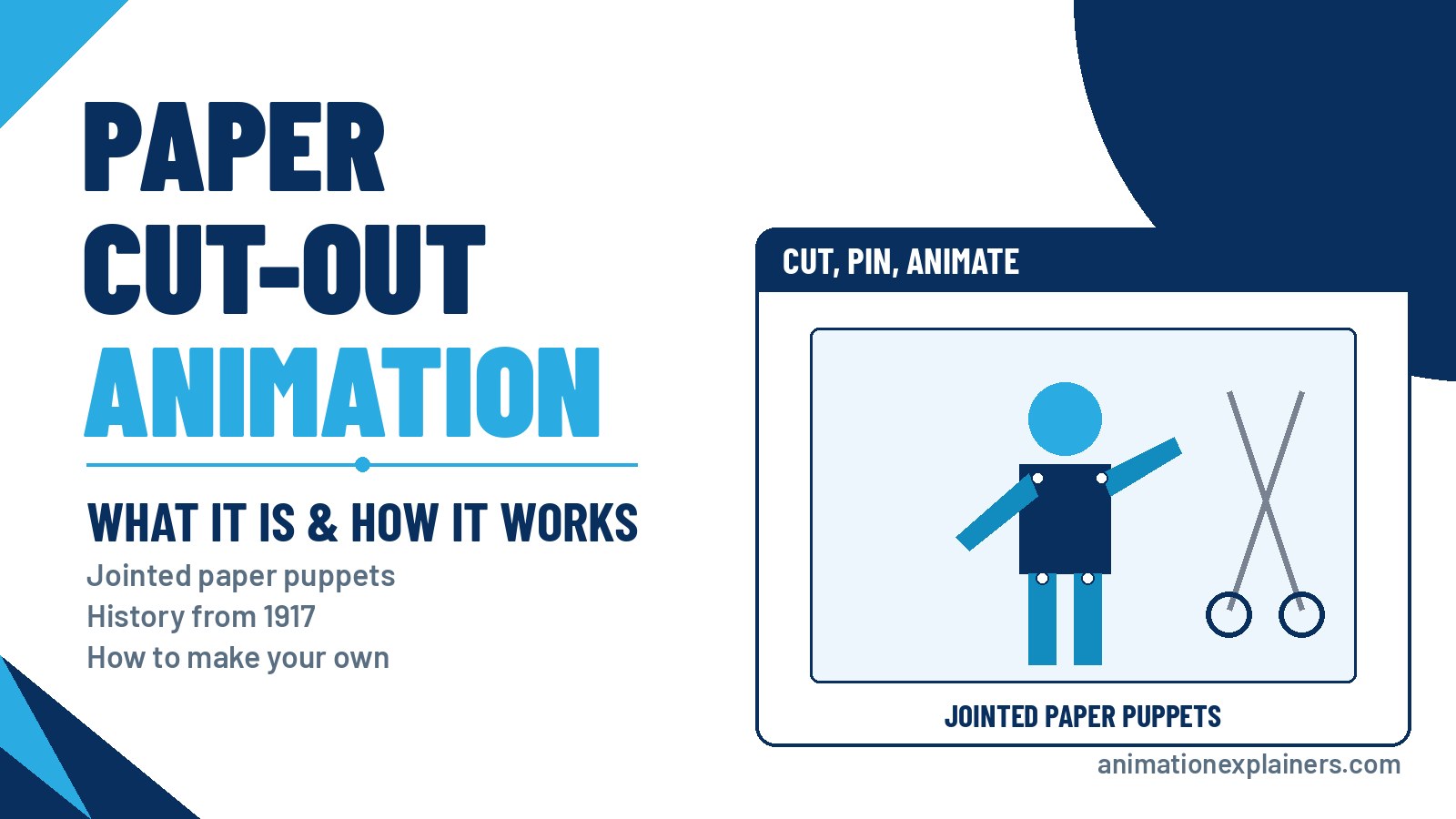
Cut-out animation uses flat, two-dimensional pieces as puppets. A character might be made of a separate head, body, arms and legs, joined so they can move. The animator arranges the pieces on a flat surface, photographs them, moves them slightly and photographs them again.
“Paper cut-out animation”, “paper cut animation”, “papercut animation” and “cutout animation” all describe the same family of techniques. Paper is the classic material, but card, stiff fabric and cut-up photographs are all used.
How paper cut-out animation works
- Design the characters in parts. Each moving part, such as a head, arm or jaw, is drawn and cut out separately.
- Joint the pieces. Parts are linked with a rivet or pin so they move in a fixed way, like a simple machine. In software, an anchor point does the same job.
- Build the background. Flat painted or collaged scenery sits underneath the characters.
- Light the scene. Some animators light from above; others light from below for a backlit, silhouette look.
- Move, shoot, repeat. A camera above the table captures each small adjustment, frame by frame.
- Edit and add sound. The frames are played back as movement, then voice, music and effects are added.
A short history of cut-out animation
- 1916–1917: Italian-Argentine cartoonist Quirino Cristiani, who had made a one-minute cartoon for Federico Valle’s newsreel in 1916, made El Apóstol (1917), the world’s first animated feature film, using cut-outs.
- 1926: Lotte Reiniger’s The Adventures of Prince Achmed, made with armatured cut-outs, became the world’s earliest surviving animated feature. Read more about Lotte Reiniger.
- Before 1934: Japanese animation mostly used cut-outs rather than cels, because celluloid was too expensive.
- 1950s–1980s: British TV favourites such as Captain Pugwash, Ivor the Engine and Noggin the Nog used cut-out figures.
- 1969–1975: Terry Gilliam’s collage animations for Monty Python's Flying Circus made cut-up photographs and illustrations famous.
- 1997 onward: South Park‘s first episode was made with construction-paper cut-outs before the show switched to computer software that keeps the paper look.
Cut-out techniques were common until cel animation became the standard method, at least in the United States.
Types of cut-out animation
| Type | How it looks | Example |
| Paper cut-out | Characters and sets cut from paper or card | Captain Pugwash, Ivor the Engine |
| Silhouette | Backlit black figures against a lighter background | The Adventures of Prince Achmed |
| Collage / photomontage | Cut-up photos and printed images combined | Terry Gilliam’s Monty Python animations |
| Digital cut-out | Scanned or vector artwork moved in software | South Park after its first episode |
| Mixed media | Paper textures combined with 2D, fabric or photography | Charlie and Lola |
Silhouette animation is a close cousin. See our guide to silhouette animation for more.
Paper cut-out vs silhouette animation
All silhouette animation is a kind of cut-out animation, but not all cut-out animation is silhouette. In silhouette work, the figures are lit from below so they turn solid black and only their outline matters. In most paper cut-out animation, the light comes from above, so you see the colours, patterns and paper textures of every piece.
Famous cut-out animation examples
- El Apóstol (Quirino Cristiani, 1917): the first animated feature film.
- The Adventures of Prince Achmed (Lotte Reiniger, 1926): the earliest surviving animated feature.
- Le merle (Norman McLaren, 1958): white cut-outs on pastel backgrounds, set to a French folk song.
- Monty Python's Flying Circus (1969–1975): Terry Gilliam’s collage animations.
- Fantastic Planet (René Laloux, 1973): a rare example of unjointed cut-out animation.
- Blue's Clues (1996–2006): used cut-out animation for many of its characters.
- South Park (since 1997): began in paper, then moved to software.
- Charlie and Lola (2005–2008): mixed paper cut-out, fabric, real textures and photomontage.
- The Breadwinner (2017): used digital animation to imitate cut-outs in its story sequences.
Cut-out animation in music videos and games
The style has a long life outside film and TV. Jim Blashfield used cut-out animation in music videos including Talking Heads’ And She Was (1985) and Michael Jackson’s Leave Me Alone (1989), which won a Grammy Award. Nintendo’s Paper Mario games (since 2000) use cut-out-style characters, and PaRappa the Rapper features flat cut-out characters too.
Digital cut-out animation today
Most cut-out-style animation is now made on computers. Artists draw or scan each body part, then rig it with pivot points in animation software so it moves like a jointed paper puppet.
The digital route keeps the handmade look while making changes far easier: a hand can be redrawn without reshooting a scene, and colours can be adjusted across a whole film.
Common tools include the free, open-source Synfig Studio, which animates artwork with digital tweening instead of redrawing every frame. Game engines such as Godot also include cut-out rigging, with bones and inverse kinematics (IK) so you can place a hand or foot and the rest of the limb follows. Animators can also mix in traditional frame-by-frame drawings for tricky parts like hands and facial expressions. Cut-out rigs are behind TV series such as South Park and Jake and the Never Land Pirates, and games such as Paper Mario and Rayman Origins. It sits naturally alongside other 2D explainer video styles.
How to make a paper cut-out animation
What you need: card (around 200–250gsm is stiff enough to survive lots of handling but easy to cut), coloured or textured paper, scissors, a pencil, removable adhesive putty such as Blu Tack, glue for anything that shouldn’t move, and something to make joints: paper fasteners, thin wire, or thread and tape. You’ll also need a phone or camera on a stand and a stop-motion app.
- Plan a short scene. Sketch a few panels so you know what has to move.
- Design the characters in overlapping parts. Decide where ears, mouths, arms and legs overlap the body, and cut each moving part slightly longer so the overlap can be fixed behind.
- Keep the joints simple. Fewer joints are easier to animate and less likely to fall apart. Use putty for quick, flexible joints, or paper fasteners, wire or thread-and-tape hinges for parts that need to rotate cleanly.
- Make the background big and rigid. Mount it on stiff card or board, and make it larger than the frame so important props aren’t stuck at the edge. Glue down anything that never moves.
- Fix the camera above the table. A phone on a stand pointing straight down works. It must not move between shots.
- Keep the light steady. Use lamps rather than a window, ideally in a darkened room, so the brightness doesn’t change mid-shoot.
- Move a little, take a photo. Repeat for every movement, then play the frames back in a stop-motion or video app. Film and TV run at 24 frames per second, but 12 frames per second is a good starting point for beginners.
- Fix mistakes with a cutaway. If something goes wrong halfway, carry on and shoot a close-up of a detail that you can edit in to hide the jump.
Start with something simple, like a character waving, before trying a walk. Our walk cycle animation guide explains the poses if you want to go further.
Pros and cons of the cut-out style
| Pros | Cons |
| A warm, handmade look that stands out | Physical paper animation is slow, frame-by-frame work |
| Works well for simple, story-led messages | Jointed figures move in a more limited, “puppet” way |
| Pieces are reused from shot to shot, so it needs far fewer drawings than cel animation | Turning a character or changing its shape needs extra pieces for each stage |
| Digital cut-out keeps the look and makes edits easy | Needs strong design skills to look polished |
| Pairs well with collage, texture and typography | Very detailed scenes can feel busy |
Using the paper cut-out style in a business video
The paper cut-out look can make a business message feel friendly, crafted and memorable. It suits brand stories, community or charity campaigns, education, and products that want to feel approachable rather than corporate.
For business work, the style is usually produced digitally, so scenes can be revised through review rounds without reshooting. For an overview of related techniques, see stop motion animation, claymation and the different types of animation.
FAQ
What is paper cut-out animation?
Paper cut-out animation is a stop-motion technique that uses flat characters and scenery cut from paper or card. The pieces are moved slightly and photographed frame by frame, then played back as movement. Today the look is often created digitally.
Is cut-out animation the same as paper cut animation?
Yes, broadly. “Cut-out”, “cutout”, “paper cut” and “papercut” animation all describe animation made from flat, cut-out pieces. Paper is the classic material, but card, fabric and photographs are also used.
What was the first cut-out animation?
Quirino Cristiani’s El Apóstol (1917), made in Argentina, was the world’s first animated feature film and was made with cut-outs. Lotte Reiniger’s The Adventures of Prince Achmed (1926) is the earliest animated feature that survives.
Is South Park cut-out animation?
South Park‘s first episode was made with construction-paper cut-outs. The show then switched to computer animation designed to keep the look of paper cut-outs.
What’s the difference between cut-out and silhouette animation?
Silhouette animation is a type of cut-out animation where the figures are backlit so they appear as solid black shapes. In most cut-out animation, light comes from above and you see the colour and texture of each piece.
How do you make a cut-out animation?
Draw and cut out each moving part, joint the pieces with fasteners or pins, fix a camera above a flat table, then move the pieces slightly and take a photo for each frame. Sequence the photos in a stop-motion or video app.
What frame rate should I use for cut-out animation?
Film and TV run at 24 frames per second, but 12 frames per second is a common and practical starting point for beginners. It halves the number of moves and still reads as smooth motion.
What software is used for digital cut-out animation?
Free, open-source Synfig Studio is a popular choice. Game engines such as Godot also have cut-out rigging with bones and inverse kinematics, and professional 2D animation software offers similar rigging tools.
Is cut-out animation stop motion?
Yes. Traditional cut-out animation is a form of stop motion, because the pieces are physically moved and photographed one frame at a time. Digital cut-out animation imitates the look in software.
Can Animation Explainers make a paper cut-out style video?
Yes. We can design a paper cut-out look in digital 2D animation, so you get the handmade feel with the flexibility to make changes. Tell us about your story and audience.

What is paper cut-out animation?
Paper cut-out animation is a stop-motion technique that uses flat characters and scenery cut from paper or card. The pieces are moved slightly and photographed frame by frame, then played back as movement. Today the look is often created digitally.
Is cut-out animation the same as paper cut animation?
Yes, broadly. “Cut-out”, “cutout”, “paper cut” and “papercut” animation all describe animation made from flat, cut-out pieces. Paper is the classic material, but card, fabric and photographs are also used.
What was the first cut-out animation?
Quirino Cristiani’s El Apóstol (1917), made in Argentina, was the world’s first animated feature film and was made with cut-outs. Lotte Reiniger’s The Adventures of Prince Achmed (1926) is the earliest animated feature that survives.
Is South Park cut-out animation?
South Park’s first episode was made with construction-paper cut-outs. The show then switched to computer animation designed to keep the look of paper cut-outs.
What’s the difference between cut-out and silhouette animation?
Silhouette animation is a type of cut-out animation where the figures are backlit so they appear as solid black shapes. In most cut-out animation, light comes from above and you see the colour and texture of each piece.
How do you make a cut-out animation?
Draw and cut out each moving part, joint the pieces with fasteners or pins, fix a camera above a flat table, then move the pieces slightly and take a photo for each frame. Sequence the photos in a stop-motion or video app.
What frame rate should I use for cut-out animation?
Film and TV run at 24 frames per second, but 12 frames per second is a common and practical starting point for beginners. It halves the number of moves and still reads as smooth motion.
What software is used for digital cut-out animation?
Free, open-source Synfig Studio is a popular choice. Game engines such as Godot also have cut-out rigging with bones and inverse kinematics, and professional 2D animation software offers similar rigging tools.
Is cut-out animation stop motion?
Yes. Traditional cut-out animation is a form of stop motion, because the pieces are physically moved and photographed one frame at a time. Digital cut-out animation imitates the look in software.
Can Animation Explainers make a paper cut-out style video?
Yes. We can design a paper cut-out look in digital 2D animation, so you get the handmade feel with the flexibility to make changes. Tell us about your story and audience.